How to Reset the Maintenance Light on a Toyota Highlander: Quick Guide
Is your Toyota Highlander’s maintenance light on, and you’re not sure what to do next? You’re not alone, and the good news is that resetting this light is easier than you might think.
Ignoring the maintenance light could lead to unnecessary worry or even costly repairs down the road. But don’t stress — you’ll discover simple, step-by-step instructions to reset your Highlander’s maintenance light quickly and safely. Keep reading, and you’ll be back on the road with confidence in no time.
Why The Maintenance Light Turns On
The maintenance light on a Toyota Highlander alerts drivers to scheduled service needs. It helps keep the vehicle running smoothly and safely. Understanding why this light turns on is key to proper care.
This warning does not mean an emergency. It signals that routine maintenance is due. Ignoring it can lead to bigger problems later.
Engine Oil And Filter Change
The most common reason for the light is an oil change. Engine oil keeps parts moving and cool. Over time, oil gets dirty and loses effectiveness. The light reminds drivers to replace oil and filter on time.
Scheduled Service Intervals
Toyota sets service intervals based on mileage and time. The maintenance light turns on when these intervals reach. It may include checking brakes, tires, and fluids. Following these intervals keeps the car in good condition.
System Check And Diagnostics
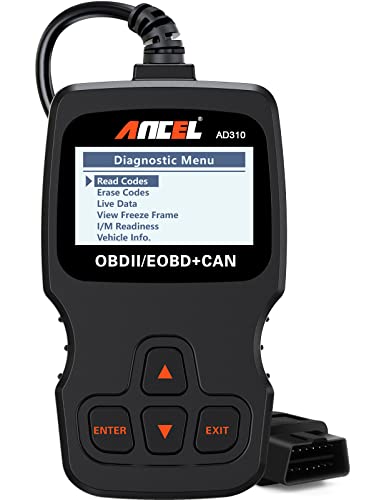
The light may also appear after a system check. It signals the car’s computer has detected a service need. This can include checking engine components or emissions systems. A scan tool can identify specific issues.
Reset Needed After Service
Once maintenance is done, the light stays on until reset. Resetting tells the car the service is complete. This prevents confusion and keeps track of future maintenance.

Credit: www.reddit.com
Tools Needed For Reset
Resetting the maintenance light on a Toyota Highlander is simple. Before starting, gather the right tools. Having these tools makes the process smooth and fast. No special equipment is required.
Most of the tools are common and easy to find. Check the list below to prepare for the reset.
Car Owner’s Manual
The owner’s manual is the first tool you need. It offers step-by-step instructions specific to your Highlander model. The manual helps you understand the dashboard symbols clearly.
Ignition Key
Use the ignition key to turn the vehicle on and off. This action is important to access the maintenance light reset mode. Keep the key handy throughout the process.
Simple Dashboard Buttons
Your Highlander has buttons on the dashboard or steering wheel. These buttons control the display and reset functions. Usually, the “Trip” or “Odometer” button is used for resets.
Clean Cloth
A clean cloth helps to wipe the dashboard or buttons if needed. This keeps the area clear and prevents mistakes during button pressing. It also keeps your car interior tidy.
Step-by-step Reset Process
Resetting the maintenance light on a Toyota Highlander is simple. Follow these clear steps to turn off the light after your service. This process saves you a trip to the mechanic and keeps your dashboard clean.
Each step uses the buttons on your dashboard. No special tools or skills needed. Let’s start with getting your vehicle ready.
Prepare Your Vehicle
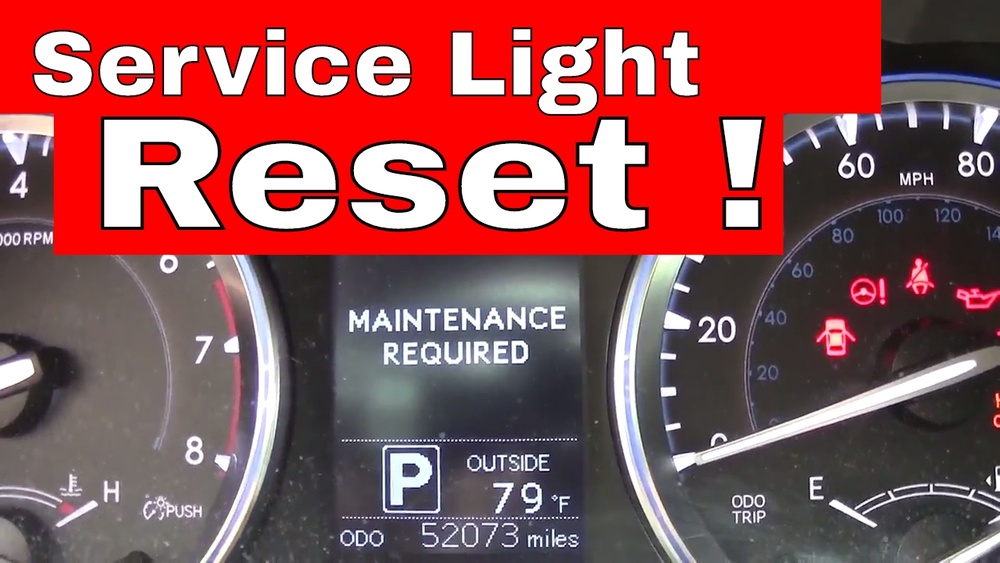
Make sure your Toyota Highlander is parked. Turn the ignition to the “On” position. Do not start the engine. The dash lights will turn on. Check that the maintenance light is visible. This means the system is ready to reset.
Use The Dashboard Buttons
Locate the trip meter button on the dashboard. Press and hold this button. Keep holding until the maintenance light starts to blink. This takes about 10 seconds. The blinking shows the reset process has started. Release the button once the light stops blinking.
Confirm The Reset
Turn the ignition off. Wait a few seconds. Turn the ignition back to “On” again. The maintenance light should be off now. If the light stays off, the reset was successful. Your Toyota Highlander is ready for the road.

Credit: www.howtoautomotive.com
Troubleshooting Common Issues
Resetting the maintenance light on a Toyota Highlander is usually simple. Sometimes, small issues can stop the light from turning off. Knowing these common problems saves time and frustration.
This guide helps spot and fix typical troubles. Clear steps ensure the maintenance light resets properly.
Incorrect Reset Procedure
Using the wrong method often keeps the light on. Follow the exact steps for your Highlander model and year. Check the owner’s manual for details. The process may need holding buttons or turning the key in a specific way.
Battery Or Electrical Issues
A weak battery or electrical faults can stop the reset. Low power affects the car’s computer system. Test the battery and replace it if needed. Check fuses linked to the dashboard and reset system.
Faulty Maintenance Light Sensor
The sensor that tracks service intervals may fail. This causes the light to stay on despite resetting. A mechanic can test the sensor and replace it if broken.
Software Glitches
Sometimes, the car’s software needs updating. Bugs can cause the maintenance light to act up. Visit a Toyota dealer to update the system software. This often clears errors and resets the light.
Ignoring Required Maintenance
The light stays on if maintenance is overdue. Resetting without service can cause bigger problems. Complete the needed service before resetting the light.
When To Visit A Mechanic
Knowing when to visit a mechanic is important for your Toyota Highlander. The maintenance light can reset, but some issues need expert care. Recognizing signs that require professional help keeps your vehicle safe and reliable.
Unusual Engine Noises
Strange sounds from the engine signal trouble. Clicking, knocking, or grinding noises mean you should see a mechanic. These sounds may indicate serious engine problems that need fixing.
Warning Lights Stay On
If the maintenance light stays on after resetting, visit a mechanic. This could mean the issue is not resolved. A professional can diagnose and fix the real problem.
Poor Vehicle Performance
Notice your Highlander running rough or losing power? Poor acceleration or stalling requires a mechanic’s check. These symptoms can point to engine or fuel system issues.
Fluid Leaks Under The Vehicle
Spotting fluid puddles below your car means a leak. Engine oil, coolant, or brake fluid leaks need immediate attention. Mechanics can find the source and repair it safely.
Scheduled Maintenance Overdue
Skipping regular service risks vehicle health. Visit a mechanic if your Highlander is overdue for oil changes or inspections. Timely care prevents bigger problems and keeps the maintenance light off.

Credit: www.youtube.com
Frequently Asked Questions
How Do I Reset The Maintenance Light On A Toyota Highlander?
To reset the maintenance light, turn the ignition to ON without starting the engine. Press and hold the odometer reset button until the light blinks and goes off. This signals the system has been reset.
Why Won’t My Toyota Highlander Maintenance Light Reset?
The light may not reset if the steps were not done correctly or the battery was disconnected. Make sure to hold the odometer button long enough. If the issue persists, check for other warning lights.
How Often Should I Reset The Maintenance Light?
Reset the maintenance light after every oil change or scheduled service. This keeps your vehicle’s maintenance tracking accurate and timely. Ignoring it may lead to missed important services.
Can I Reset The Maintenance Light Without Tools?
Yes, resetting the maintenance light on a Toyota Highlander needs no special tools. Simply use the odometer button and ignition switch to perform the reset. It’s easy and quick to do yourself.
Conclusion
Resetting the maintenance light on your Toyota Highlander keeps your vehicle running smoothly. It shows you care about timely service and safety. The steps are simple and quick to follow. A clear dashboard helps you stay on top of needed maintenance.
Regular resets avoid confusion and keep your car in good shape. Take a moment to reset after every service. Your Highlander will thank you with better performance. Keep it easy. Keep it safe.