How to Reset Toyota Camry Maintenance Required Light: Quick Guide
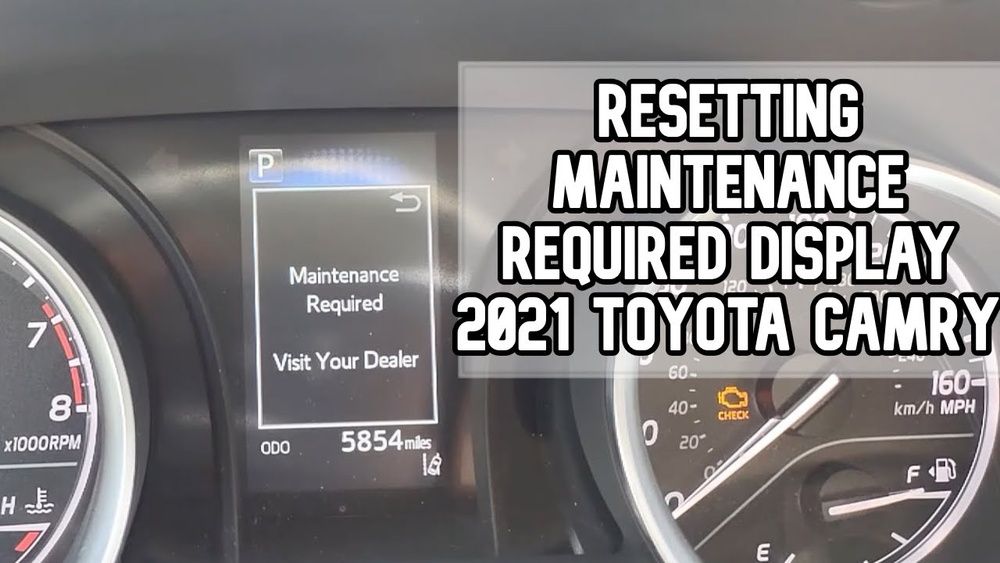
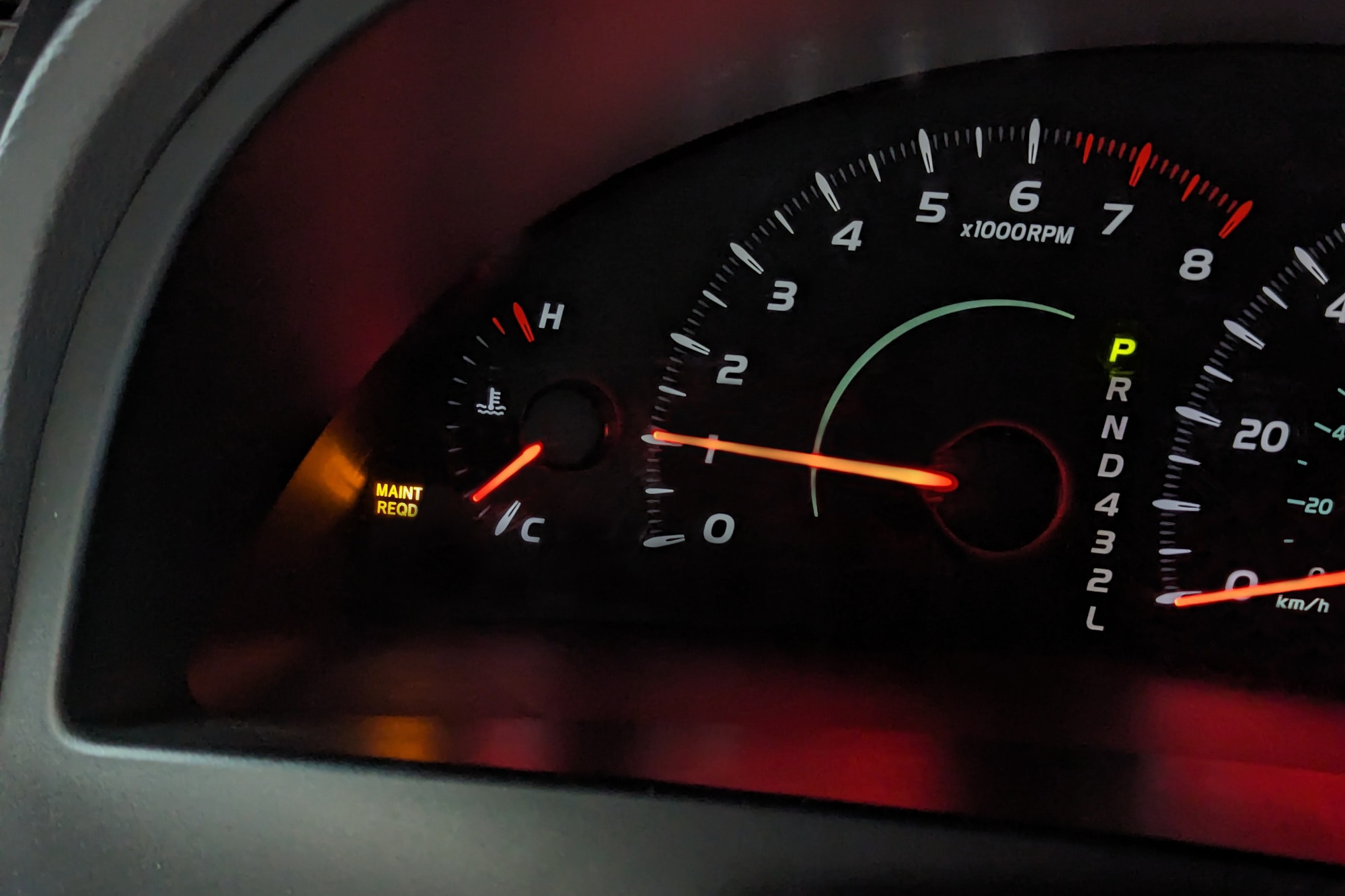
Seeing the “Maintenance Required” light on your Toyota Camry can be a bit unsettling. You might wonder if something serious is wrong or if it’s just time for routine upkeep.
The good news is, once you’ve taken care of your vehicle’s scheduled maintenance—like an oil change—you can reset this light yourself quickly and easily. Whether your Camry has a traditional ignition key or a push-start button, knowing how to reset the maintenance required light saves you time and keeps your dashboard clutter-free.
Keep reading, and you’ll learn simple step-by-step instructions to get that light off and your mind at ease.
Reset With Steering Wheel Controls
Resetting the maintenance required light on your Toyota Camry using steering wheel controls is quick and easy. This method works well for newer models with digital displays and menu options. You can do it without any special tools or equipment.
Follow the steps below to clear the maintenance reminder and keep your dashboard clean.
Turn On Vehicle Without Engine
Press the Start button once without pressing the brake pedal. This action powers the electronics but keeps the engine off. Your dashboard lights will turn on, showing the maintenance required light.
Navigate To Vehicle Settings
Use the arrow buttons on the right side of the steering wheel. Press the “Back” button to exit any current menu. Scroll until you find the gear icon labeled “Settings.” Press the “OK” button to enter the menu.
Scroll down to “Vehicle Settings” and press “OK” again. This menu holds the maintenance reset options.
Select And Reset Maintenance
In “Vehicle Settings,” find “Scheduled Maintenance” or “Maintenance Reset.” Highlight this option and hold the “OK” button for a few seconds. The maintenance required light will blink and then turn off.
Turn off the vehicle and start the engine to confirm the reset was successful.
Reset Using Ignition And Trip Button
Resetting the Toyota Camry maintenance required light using the ignition and trip button is a quick and easy method. This process works well for models with a physical trip button on the dashboard. It requires no special tools or devices.
Follow a few simple steps to clear the light and keep your dashboard neat. The steps involve turning the ignition on, pressing the trip reset button, and holding the button during the ignition cycle. This helps reset the maintenance reminder after an oil change or scheduled service.
Turn Ignition To On Position
First, insert the key and turn the ignition to the ON position. Do not start the engine. The dashboard lights will come on, showing various indicators.
Make sure the maintenance required light is visible. This step prepares the system to accept the reset command.
Press Trip Reset Button
Locate the trip reset button on the dashboard. Press the button repeatedly until the display shows “TRIP A.”
This confirms the system is ready for the reset process. The trip button is usually near the speedometer or odometer.
Hold Trip Button During Ignition Cycle
Turn the ignition off. Then press and hold the trip reset button. While holding it, turn the ignition back to the ON position.
Keep holding the button for about 10 seconds. The maintenance required light will blink and then turn off.
Release the button. The reset is complete, and the light should stay off.
Reset On Push-start Models
Resetting the maintenance required light on push-start Toyota Camry models requires a few simple steps. These models use a start/stop button instead of a traditional key. The reset process happens through the vehicle’s menu system, accessed by buttons on the steering wheel. Follow these steps carefully to clear the maintenance reminder.
Power On Without Brake
Press the Start button once without pressing the brake pedal. This action powers the vehicle’s electrical systems without starting the engine. The dashboard lights will turn on, showing all the warning indicators. This is the correct mode to access the settings needed for the reset.
Access Maintenance Reset Menu
Locate the “Back” button on the right side of the steering wheel and press it. Use the arrow buttons to scroll through the menu until you find the gear icon labeled “Settings.” Select it by pressing the OK button. Scroll down to “Vehicle Settings” and press OK again. Then find “Scheduled Maintenance” or “Oil Maintenance” in the list.
Complete Reset Process
Once inside the maintenance menu, press and hold the OK button. The screen will ask if you want to reset the maintenance light. Confirm by selecting “Yes” or pressing OK again. The maintenance required light will turn off, indicating the reset is complete. Turn off the vehicle, then start it normally to check the reset status.

Credit: www.youtube.com
When To Reset The Maintenance Light
The Toyota Camry’s maintenance required light helps remind drivers about needed upkeep. Resetting this light at the right time keeps the system accurate. Resetting too early or too late can cause confusion or missed maintenance. Knowing when to reset the light is important for proper vehicle care.
After Scheduled Service
Reset the maintenance light after completing a scheduled service. Toyota recommends specific service intervals, like every 5,000 miles. The light turns on to remind you of these checkups. Once the service is done, reset the light to track the next interval. This keeps your Camry’s maintenance on schedule.
Oil Change Completion
The maintenance light often signals when an oil change is due. After changing the oil and filter, reset the light. This action informs the system that fresh oil is in use. It helps prevent premature warnings and ensures the engine runs smoothly. Resetting after an oil change is a simple, crucial step.
Other Maintenance Tasks
Other tasks can also trigger the maintenance light. These include checking fluids, replacing air filters, or inspecting brakes. Once these tasks are finished, reset the light to clear the reminder. This way, your Camry’s system stays up to date. Always reset after any maintenance that affects engine performance or safety.
Troubleshooting Reset Issues
Resetting the maintenance required light on a Toyota Camry usually works smoothly. Sometimes, the light stays on even after the reset procedure. This section helps you solve problems when the maintenance light does not reset. Follow these steps to troubleshoot and fix common issues.
Light Does Not Reset
The maintenance light may not reset due to a missed step in the reset process. Double-check each action carefully. Ensure the ignition is in the correct position. Confirm you are using the right button or menu option for your model year. Sometimes, a simple restart of the vehicle system can help. If the light still stays on, move to the next step.
Check For Underlying Problems
The light may signal a real issue with your vehicle. Check the oil level and quality first. Low oil or dirty oil can trigger the warning. Look for other warning lights on the dashboard. A diagnostic scan tool can read error codes stored in the car’s computer. These codes guide you to specific problems. Fixing any detected issue can make the light reset properly.
Consulting A Professional
When problems persist, seek help from a trained mechanic. Professionals have tools and knowledge to diagnose deeper issues. They can reset the maintenance light safely if no faults exist. Visiting a Toyota service center ensures proper care. Avoid ignoring the light to keep your car in good condition.

Credit: www.reddit.com
Credit: www.capitalone.com
Frequently Asked Questions
How Do I Clear My Toyota Maintenance Required Notification?
Turn the ignition on without starting the engine. Press and hold the trip reset button until the light resets. Use steering wheel controls to navigate Vehicle Settings and select Scheduled Maintenance to reset on newer models.
How To Reset Maintenance Required Light On A 2012 Toyota Camry?
Turn the ignition on without starting the engine. Press the odometer button until “TRIP A” shows. Turn off ignition. Hold the trip button and turn ignition on. Keep holding until the light resets, then release.
How To Reset Maintenance Light On A 2020 Toyota Camry?
Turn the ignition on without starting the engine. Use steering wheel buttons to access Vehicle Settings. Select Scheduled Maintenance and hold OK to reset the maintenance light.
How To Reset Maintenance Required Light On 2010 Toyota Camry?
Turn ignition on without starting engine. Press “Back” on steering wheel, navigate to Settings > Vehicle Settings > Scheduled Maintenance. Hold “OK” and select Reset. Maintenance required light will turn off.
How Do I Reset The Maintenance Required Light On Toyota Camry?
Turn the ignition on without starting the engine. Use steering wheel buttons to find Vehicle Settings, then choose Scheduled Maintenance and reset it.
Conclusion
Resetting the maintenance required light on your Toyota Camry is simple. Follow the steps carefully to avoid confusion. This process helps keep your car’s reminders accurate. Regular resets ensure you never miss important service. Remember, the light signals when maintenance is due.
Clearing it without service can cause issues later. Stay on top of your car’s health with timely resets. Drive safe and keep your Camry running smoothly.