How to Reset Toyota Corolla Maintenance Light 2015 Easily
If you drive a 2015 Toyota Corolla, you’ve probably seen the maintenance light come on after a few thousand miles. This light is not a warning of a problem, but a reminder for routine service like an oil change. Ignoring it can be distracting, and many drivers wonder how to reset it themselves. Luckily, resetting the maintenance light is a simple process you can do at home—no special tools or skills needed. Let’s walk through the steps, explain why it matters, and share some extra tips to keep your Corolla running smoothly.
Why The Maintenance Light Comes On
The maintenance required light (often labeled “MAINT REQD”) is programmed to alert you after every 5,000 miles. It doesn’t check oil quality or engine health. Instead, it’s a timer based on mileage. After an oil change, the light should be reset so it won’t bother you until the next cycle.
Many owners think this light signals a mechanical fault, but it’s simply a reminder. If you don’t reset it, the light stays on, which can make it harder to spot real warning lights later.
Steps To Reset Toyota Corolla Maintenance Light (2015 Model)
Here’s a clear, step-by-step guide. These instructions work for most Toyota Corolla 2015 trims, including LE, S, and ECO.
- Turn the ignition off (make sure your foot is off the brake if you have push-start).
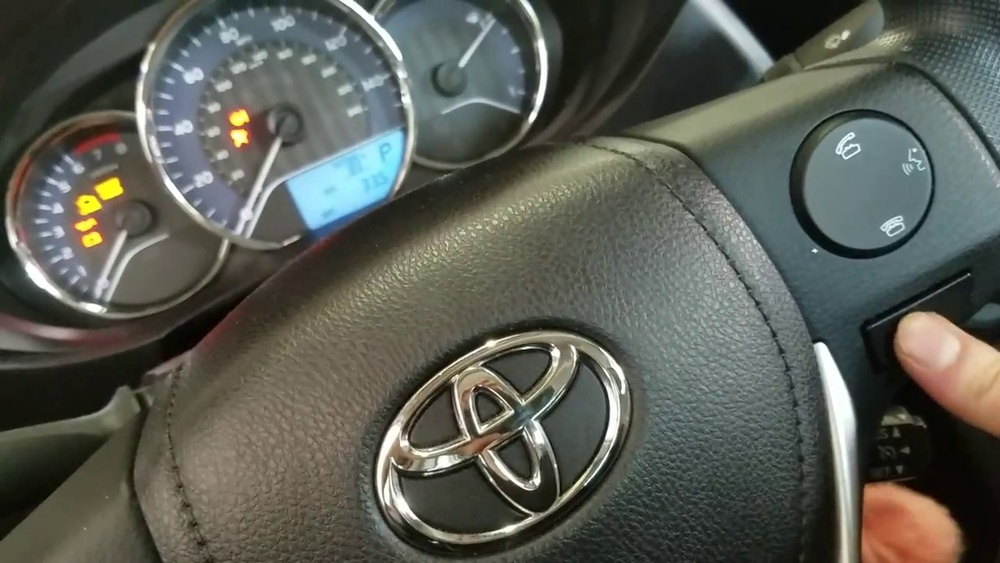
- Press and hold the trip reset button on the instrument panel. This button is usually next to the odometer display.
- Turn the ignition to ON (not start) while holding the button. For push-start, press the button twice without pressing the brake.
- Keep holding the button. The odometer will display dashes (“——“) or zeros, then the maintenance light will blink and go out.
- Release the trip button. The light is now reset.
If you’re unsure, repeat the steps carefully. Most mistakes happen when the ignition is turned to START instead of ON, or if the button isn’t held long enough.

Credit: www.youtube.com
Visual Guide: Instrument Panel Comparison
To help identify the controls, here’s a quick comparison of the Corolla’s instrument panel versus other Toyota models.
| Model Year | Trip Button Location | Maintenance Light Label |
|---|---|---|
| Corolla 2015 | Right side of odometer | MAINT REQD |
| Camry 2015 | Below speedometer | MAINT REQD |
| Corolla 2010 | Left side of odometer | MAINT |
The 2015 Corolla’s trip button is easy to spot. If you drive an older model, check your owner’s manual for the exact location.
Common Mistakes When Resetting
Many drivers make simple errors when trying to reset the maintenance light. Here are the most frequent problems:
- Turning the ignition to the START position instead of ON.
- Not holding the trip reset button long enough.
- Releasing the button too soon.
- Confusing the maintenance light with the check engine light.
If you follow the steps exactly, you’ll avoid these mistakes. If the light doesn’t go off, try again and watch for the odometer display to change.
Why Resetting Matters
Some people ignore the maintenance light, thinking it’s not important. But letting it stay on can cause confusion. For example, if the check engine light comes on, you might miss it because the dashboard is already lit up. Also, regular resets help keep your service records accurate, especially if you plan to sell your car later.
Maintenance Light Vs. Check Engine Light
These two lights are often confused. Here’s a quick comparison for clarity:
| Light Name | Purpose | Action Needed |
|---|---|---|
| Maintenance Required | Routine service reminder | Reset after service |
| Check Engine | Engine/system fault | Diagnose and repair |
Maintenance required is just a timer. The check engine light signals a problem—never ignore it.

Credit: www.earlstewarttoyota.com
Extra Tips For Corolla Owners
- Always reset the maintenance light after an oil change, even if a mechanic forgets.
- Keep a service log. Write down the date and mileage of every reset.
- Check other fluids and filters when you do maintenance, not just oil.
- If you use synthetic oil, you may go longer between oil changes, but the light will still come on every 5,000 miles.
- You can find more details in your Toyota Corolla’s owner’s manual or visit Toyota’s official service site.
Data: Oil Change Frequency
Many drivers ask how often to change oil. Here’s what Toyota recommends for the 2015 Corolla:
| Oil Type | Miles Between Changes | Typical Interval |
|---|---|---|
| Conventional | 5,000 | Every 5 months |
| Synthetic | 7,500 | Every 7 months |
Even if you use synthetic oil, the maintenance light comes on at 5,000 miles unless you reset it.

Credit: www.tvtoyota.com
Frequently Asked Questions
Why Does The Maintenance Light Turn On After An Oil Change?
The maintenance light is a mileage timer, not a sensor. If the mechanic forgets to reset it, it stays on until you do it yourself.
Can I Drive With The Maintenance Light On?
Yes, but it’s best to reset it. The light isn’t a warning, but it can mask other alerts and make tracking service harder.
Is The Reset Process The Same For All Toyota Corollas?
Most Corolla models use a similar process, but the button location and display can differ. Always check your manual if unsure.
Will Resetting The Maintenance Light Affect Other Car Settings?
No, resetting only clears the service reminder. It won’t change radio presets, Bluetooth, or other vehicle settings.
What If The Light Doesn’t Turn Off After Following The Steps?
Double-check the steps and try again. If the light stays on, there could be a technical issue with the dashboard—visit a dealership for help.
Resetting the maintenance light on your 2015 Toyota Corolla is quick and easy if you know the steps. Doing it regularly keeps your dashboard clear and your service records correct. With these tips, you can handle this task confidently and keep your car in top shape.